
CAI Value Proposition Canvas: Die digitalen CAI-Tools
A wide range of tools with system and substance.
Always prepared, well thought out, effective.
More than 75 tools in 10 formats.
Task List
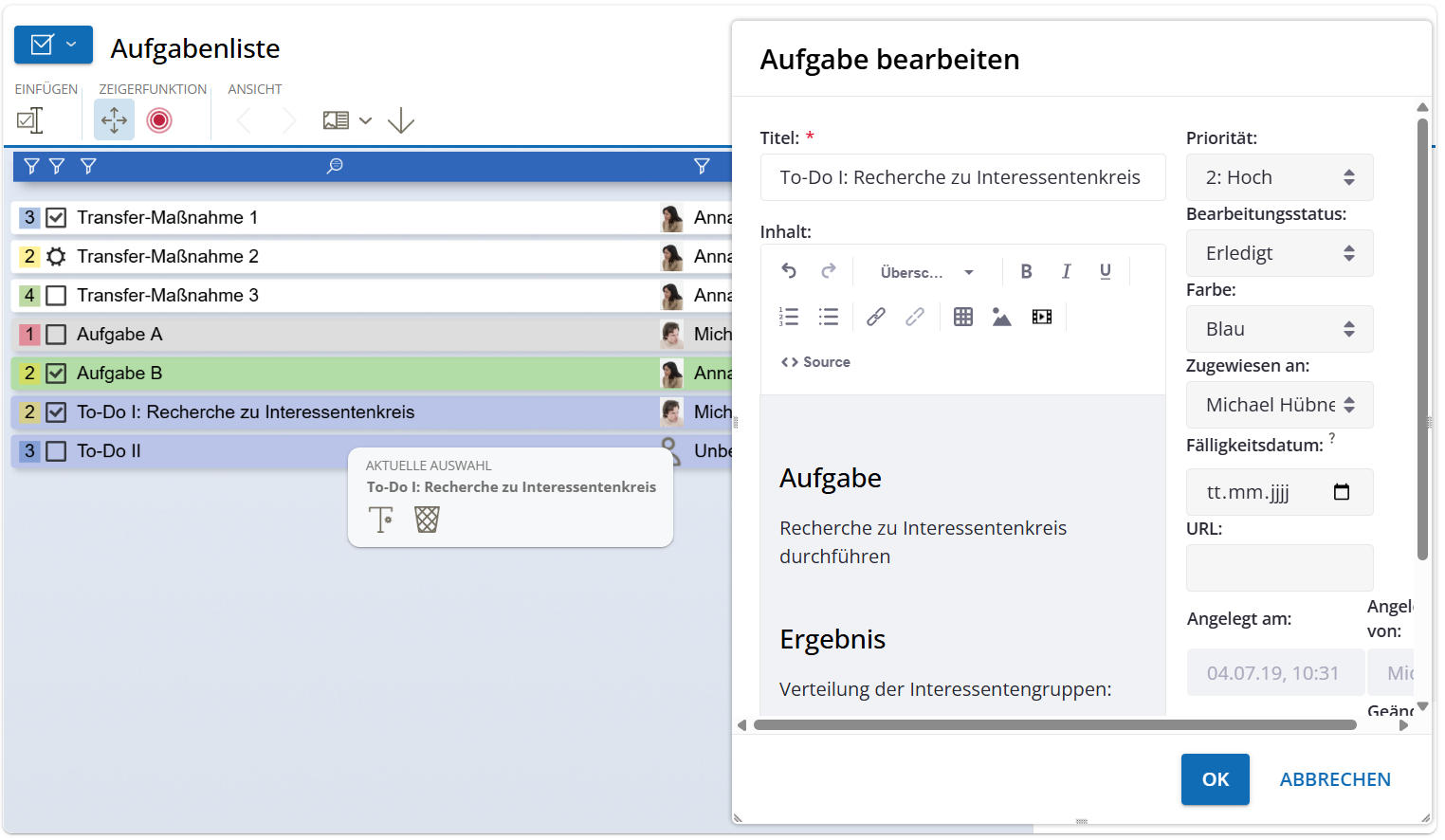
Capture and manage tasks in a structured way with the Task List
The Task List is a versatile tool for professional task management in digital work and development processes. Actions, to-dos, and next steps can be clearly recorded, prioritized, and assigned to individuals – much more structured than on a classic whiteboard.
An integrated editor allows you to document even extensive content in a formatted way. Tasks can be filtered by assignee, priority, or due date. If tasks are overdue, a notification is automatically triggered – keeping deadlines and responsibilities in view at all times. Notifications can be managed via My Account.
A special advantage: The Task List persists across sessions. Open items can be picked up and continued in follow-up meetings – ideal for continuous collaboration and sustainable results.
Typical use cases:
- Consulting, coaching, and supervision: Document actions and track progress
- Project work and team processes: Clarify and structure responsibilities
- Education and teaching: Record learning steps and support individual development
- Organizational development: Make change processes transparent and binding
- Training and workshops: Distribute tasks and secure results
Benefits:
- Structure and accountability: Clearly assign, prioritize, and schedule tasks
- Sustainability in the process: Continue open items across sessions
- Efficient collaboration: Filtering and notifications simplify task management
- Professional documentation: Record content clearly and in a formatted way
Chat
Context-based communication with question sets & automatic documentation in the chat
Chat in CAI® World is more than just a side channel – it can be directly linked to all graphical tools in CAI® World. This allows content to be exchanged in context and automatically documented.
Whether as a supplement to voice communication or as the main form of communication for asynchronous work – the chat offers maximum flexibility and secures important information.
Thanks to integrated, scientifically grounded and practice-tested question sets, coaches, leaders, and facilitators receive immediately usable prompts. Depending on the edition, these can even be individually expanded and customized – for efficient, goal-oriented communication directly in the process.

Desktop Sharing
Screen sharing without installation – share content live directly in the Desktop Sharing tool
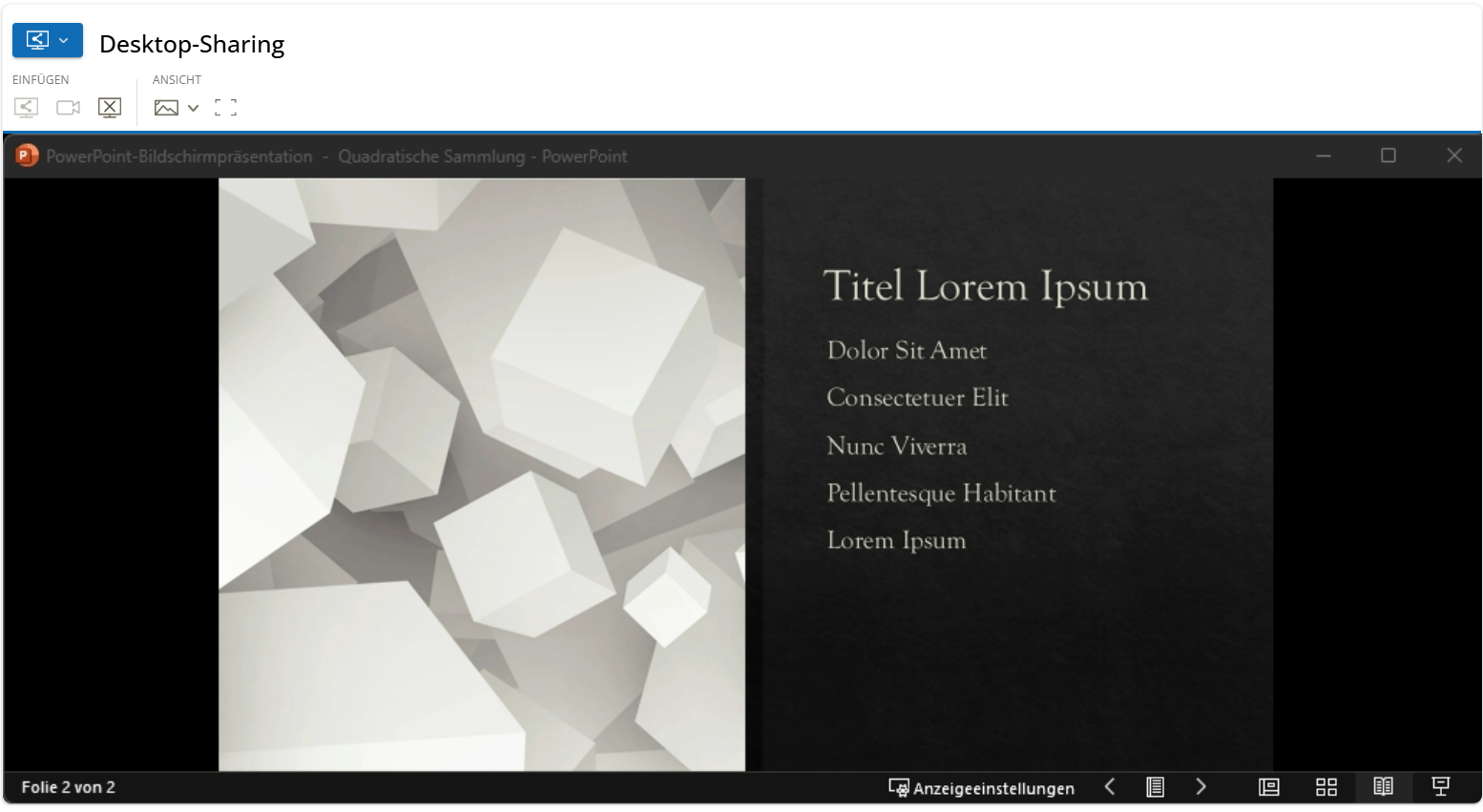
With integrated Desktop Sharing in CAI® World, you can easily share your entire screen or a single window with other session participants – in real time and without additional software installation. This allows external applications to be seamlessly integrated into your session.
In addition to the primary camera, external cameras can also be integrated as separate video sources and displayed in Desktop Sharing. This opens up new possibilities – for example, visualizing physical objects, whiteboards, or handwritten sketches in real time.
Whether for interactive training, joint process analysis, or collaborative work: Desktop Sharing makes it possible to display content and further develop it directly in dialogue.
The transmission is based on modern WebRTC technology – secure, stable, and browser-based. Important: Sharing your own screen is currently not possible via iPhone or iPad.
At a glance:
- Flexible screen sharing: Entire screen or specific window
- Integrate external cameras: More perspectives for more context
- No installation required: Runs directly in the browser
- Easy integration of external tools: Ideal for training & demonstrations
- Secure & GDPR-compliant: WebRTC technology
Media Player
Use Videos and Audios Effectively with Integrated Media Playback
The Media Player tool enables video and audio content to be shared directly within the digital meeting room of CAI® World – without external platforms. Whether for knowledge transfer, as a stimulus for discussions, or to deepen exercises: media can be centrally started, paused, and precisely controlled. Individual playback by participants is also possible, for example for review or self-directed learning.
The content remains securely stored on the platform and is available at any time – ideal for structured, media-supported workflows.

Benefits at a Glance
- Shared or individual media playback
- Central control by the moderator (start, pause, position)
- No external hosting service required
- Secure access to protected content
- Versatile use for learning, reflection, and inspiration
Presentation
Display and use documents together
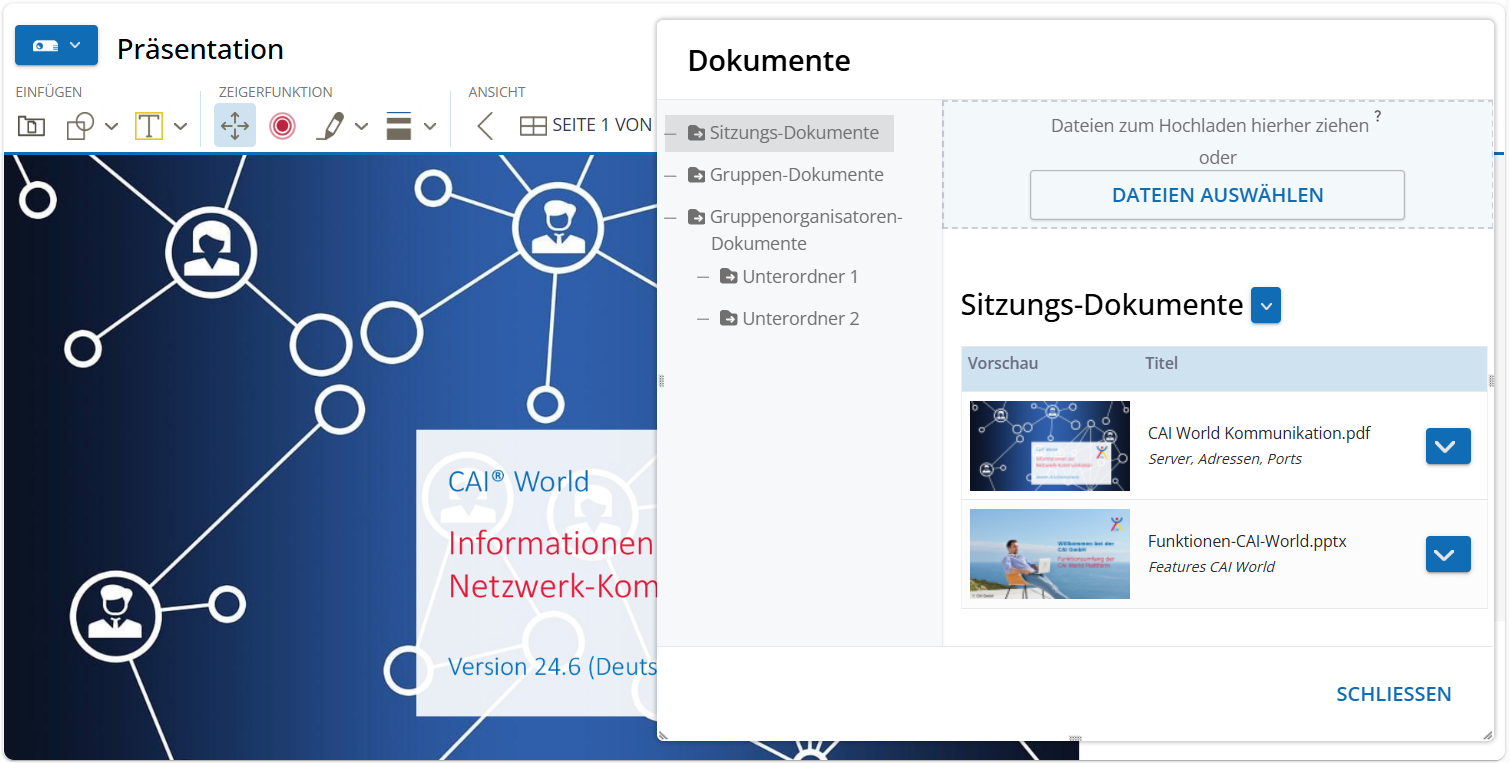
With the Presentation tool, documents such as PDFs, images, or Office files can be displayed directly in the session and viewed together. Materials can be selected from the existing document library or uploaded anew – without external applications or separate screen sharing.
The moderator retains control over the display and can manage content as needed. This ensures efficient, clear, and secure integration of documents.
Benefits at a glance
- Shared display of documents and materials
- Support for various file formats (PDF, images, Office)
- Direct access to the document library
- Moderator control for focused work
- Secure and integrated – without external tools
Value Proposition Canvas
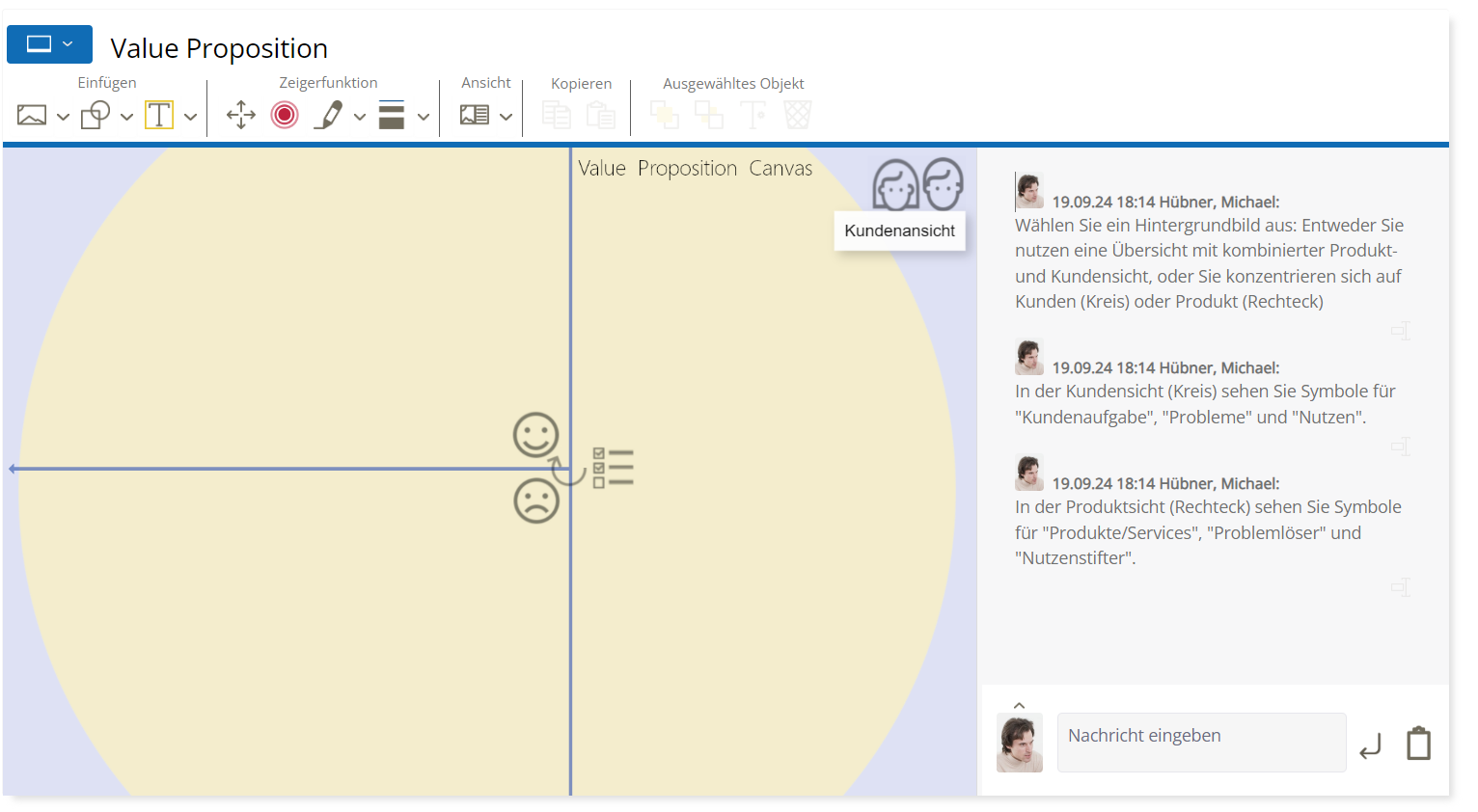
Das Tool „Value Proposition Canvas“ unterstützt dabei, Ideen für die Entwicklung von Prototypen zu favorisieren. Auf dem zweigeteilten Canvas gibt es die Produktsicht und die Kundensicht. In der Produktsicht gibt es Symbole für Produkte/Services, Problemlöser und Nutzenstifter, in der Kundensicht für Kundenaufgabe, Probleme und Nutzen. Die Bereiche werden sukzessive mit verschiedenfarbigen Textfeldern bestückt und anhand des potentiellen Mehrwertes / Nutzens für den Anwendenden werden Ideen für die Entwicklung von Prototypen favorisiert.
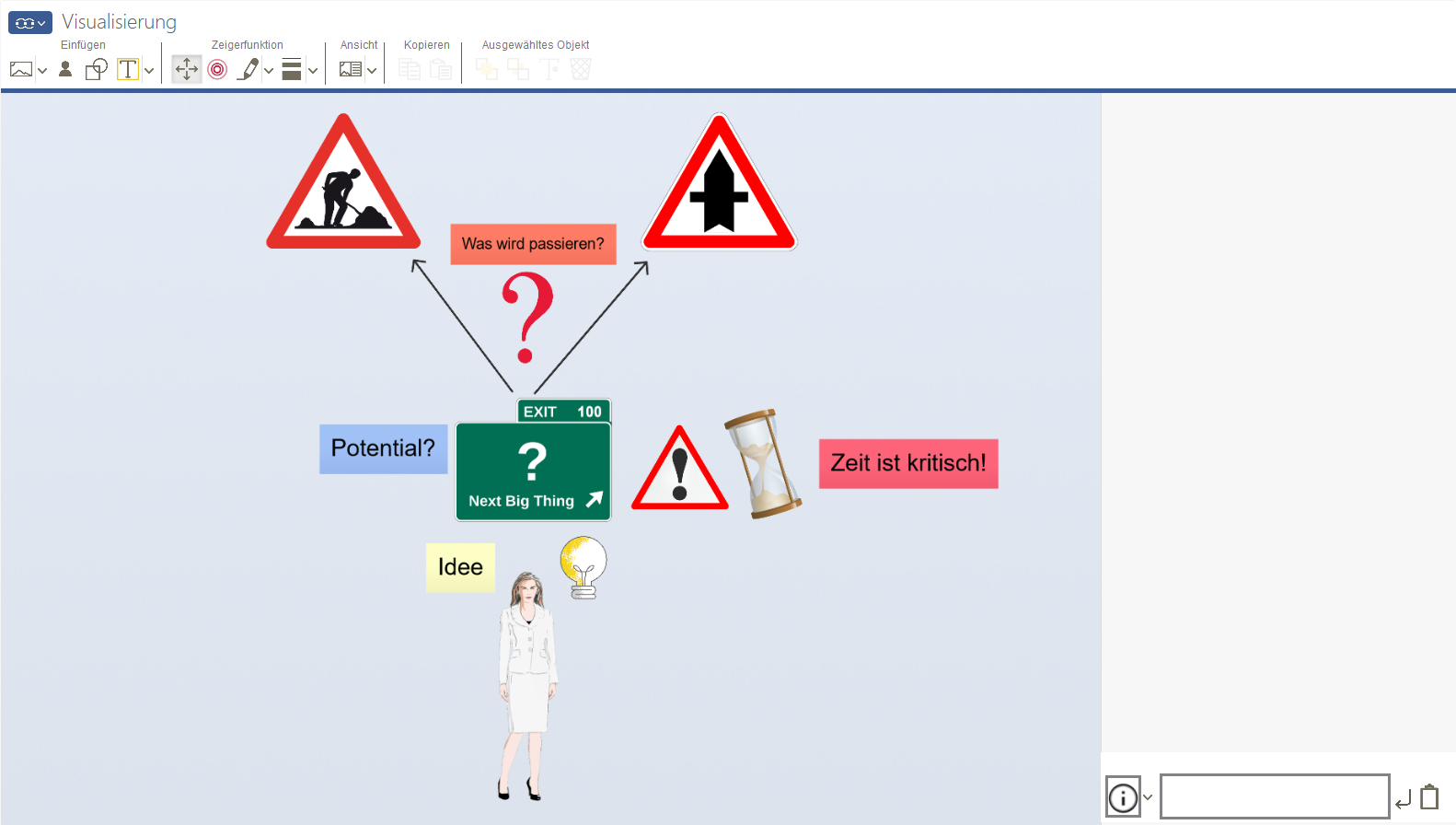
Visualisierung
In der Visualisierung können diverse Prozesse, Situationen, Probleme, Beziehungen usw. visuell dargestellt werden. Hierzu stehen sowohl Text-Kärtchen als auch zusätzliche Grafiken zur Verfügung.
Whiteboard
A space for everything: ideas, structure, creativity. The digital whiteboard.
The Whiteboard tool provides a flexible space for visualizing, structuring, and collaboratively developing content – digital, location-independent, and interactive. Comparable to flipcharts or moderation boards, but with significantly expanded possibilities: drawing elements, symbols, custom graphics, and individual backgrounds support creative and structured work processes.
All content can be edited, saved, or duplicated at any time – ideal for dynamic work in groups, workshops, training sessions, or projects.
Benefits at a glance
- Interactive visualization of ideas, topics, and processes
- Wide selection of symbols, shapes, and backgrounds
- Easy integration of custom graphics and backgrounds
- Results automatically saved and accessible at any time
CAI® World Formats
Discover these formats with their respective tools:
component_exchange Business Coaching
component_exchange CAI® CC
component_exchange CAI® Design Thinking
component_exchange Conflict Management
component_exchange Employee Interview
component_exchange Retrospective
component_exchange Situation Room
component_exchange Team Development
component_exchange Transfer Coaching
component_exchange Value Proposition Canvas
CAI® Leader
Digital tools for modern leadership, team processes, and creative solutions.
CAI® Leader
from €29.95 per month
(Price plus VAT)
New: discounted annual rate with 2 free months
Variety of tools plus 1 format:
component_exchange Employee Dialogue
Additional available starting from Medium:
component_exchange Situation Room
component_exchange Design Thinking
component_exchange Value Proposition Canvas
component_exchange Retrospective
component_exchange Team Development
component_exchange Conflict Management
